Construction Marketplace
Transition from the design phase to procurement seamlessly by applying 21st century connectivity to an old-school process
See case study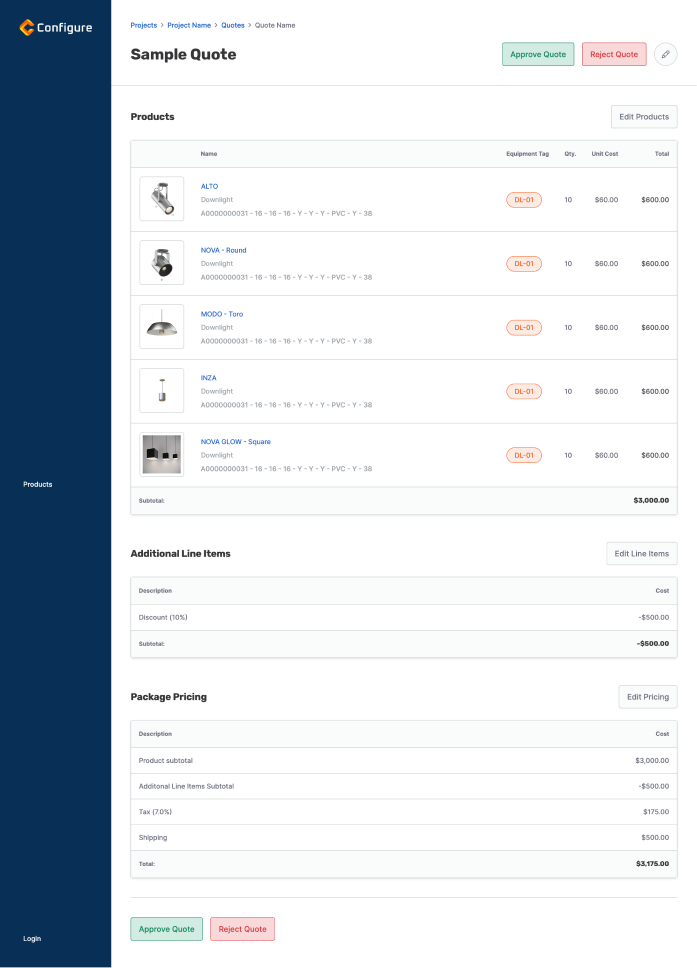
My role
I led design on the construction-procurement marketplace from the design sprint through launch, owning research, UX, UI, and the production front end in HTML, CSS, and Razor alongside the .NET and Blazor build team.
Services



The problem
Building designers and contractors specify and buy products through email, phone calls, and PDFs scattered across vendors. Comparing quotes from multiple suppliers meant reconciling files by hand, and the work that moves a project from design to purchase had no shared place to live.
Solution
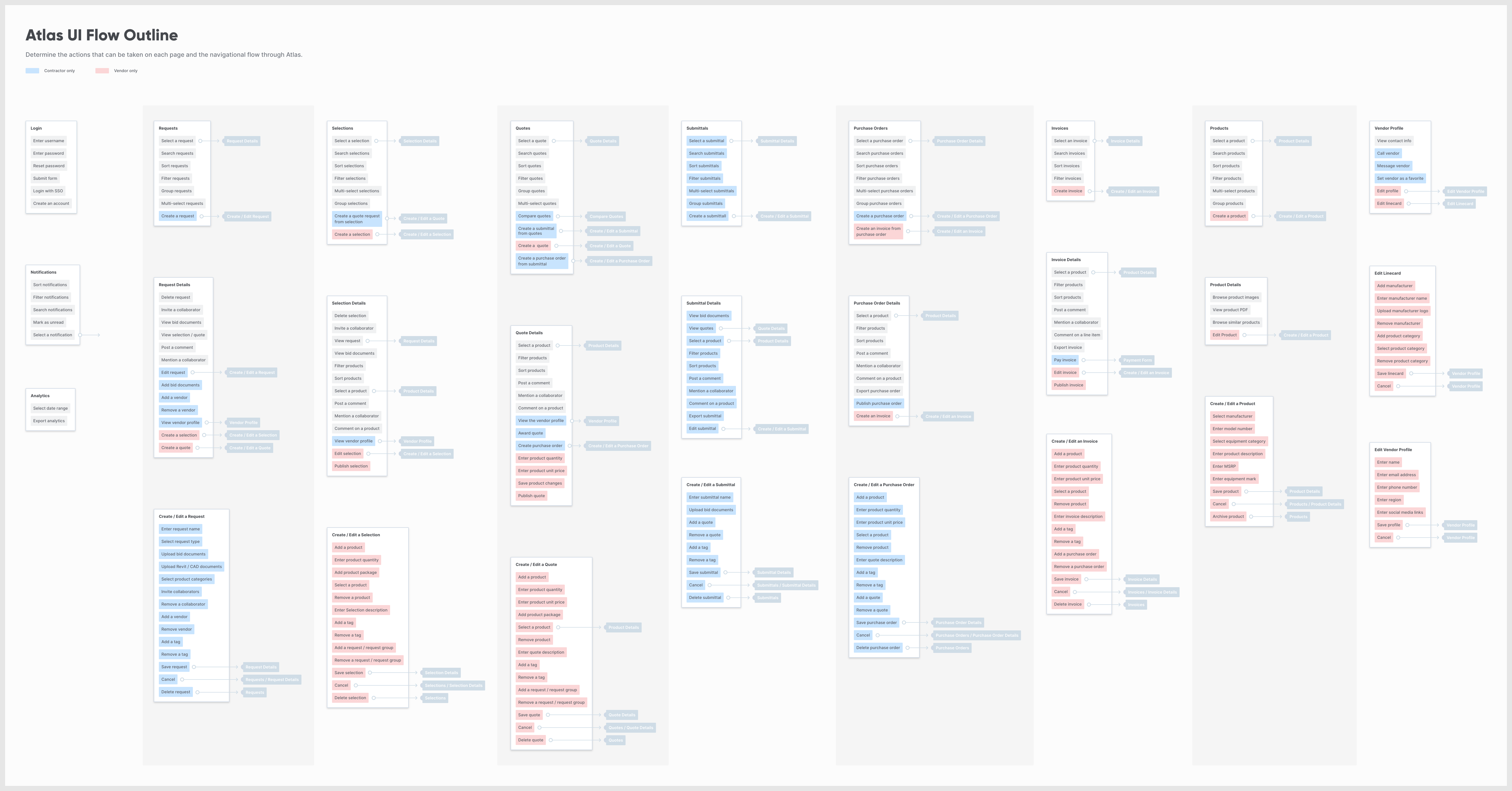
user flow diagram
We began by mapping out the key content areas based on our target audience's needs. We identified each action that any of our user groups would need to make on each content block; and where that action would take them, allowing us to lay the foundation for a robust and efficient system.
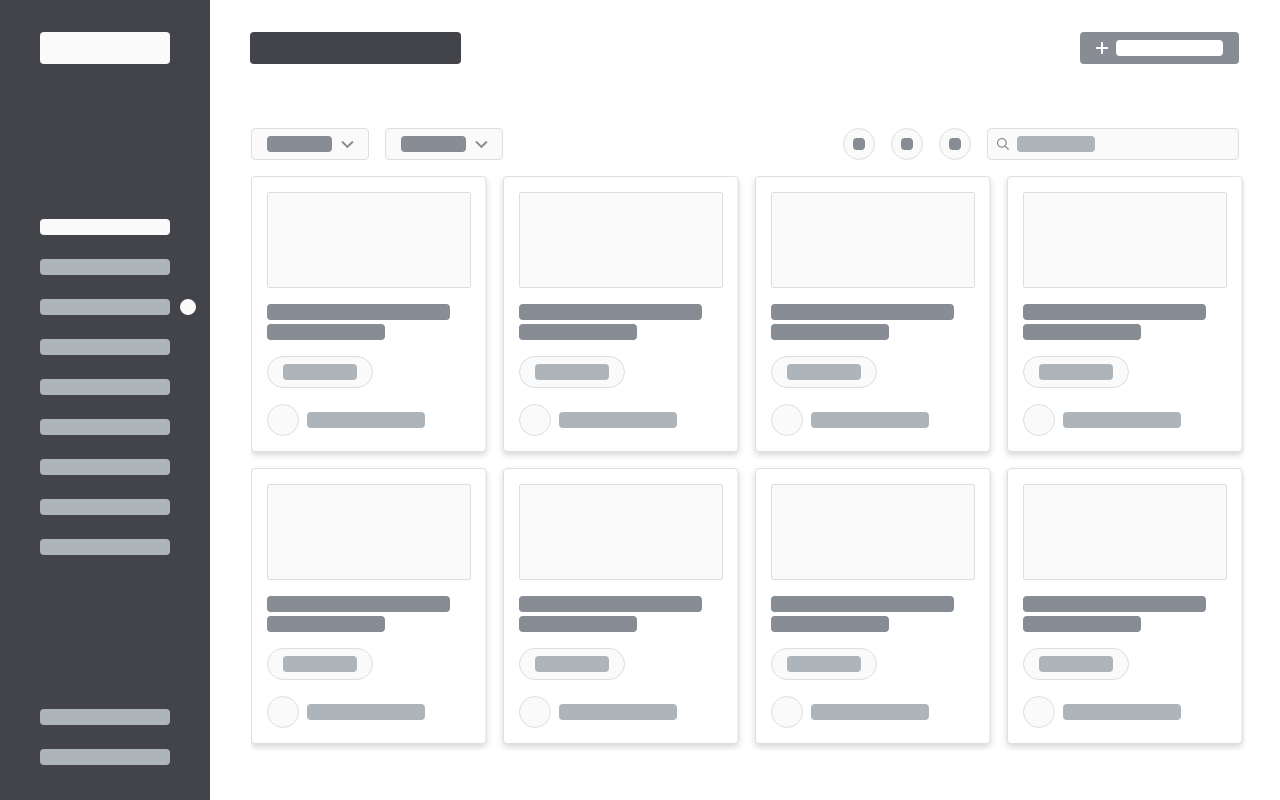
low fidelity wireframes
Here we block out the elements on the page to add some visuals to the screens described in our user flow diagram. Creating low-fidelity versions of what we think the page will look like allows us to test our assumptions and have better conversations about what we need to see on the screen.
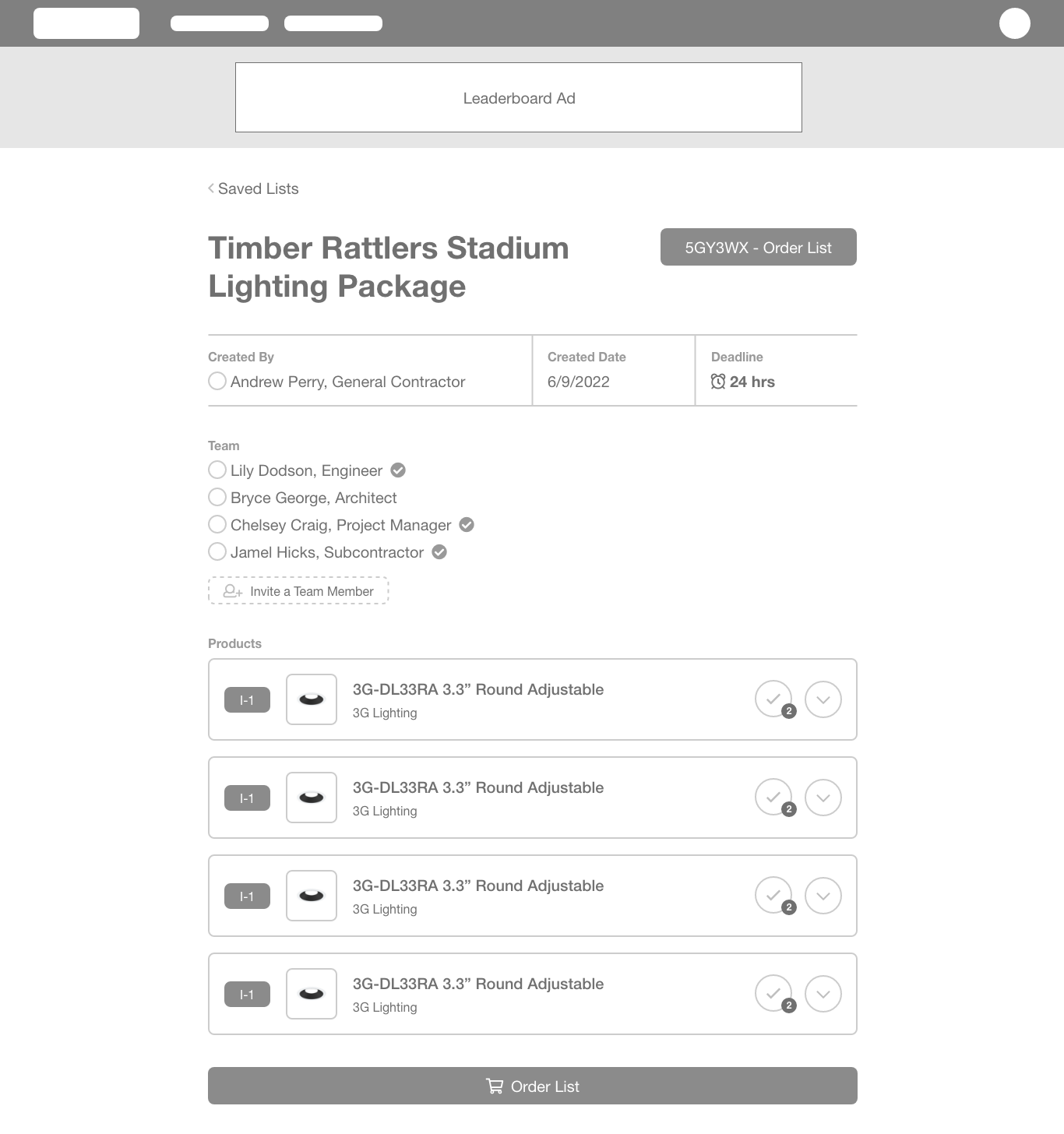
low fidelity prototype
Adding detail and stitching the screens together helps to make the experience start to feel real. We keep the flow through the system in mind as we refine individual pages. At this stage, we can test for usability and efficiency.
high fidelity prototype
The high-fidelity prototype is the final stage in our UX design sprint. It combines the effective layouts of our wireframes with added style, visual hierarchy, and iconography. Next, it's time for us to take what we've learned and start building.

project details
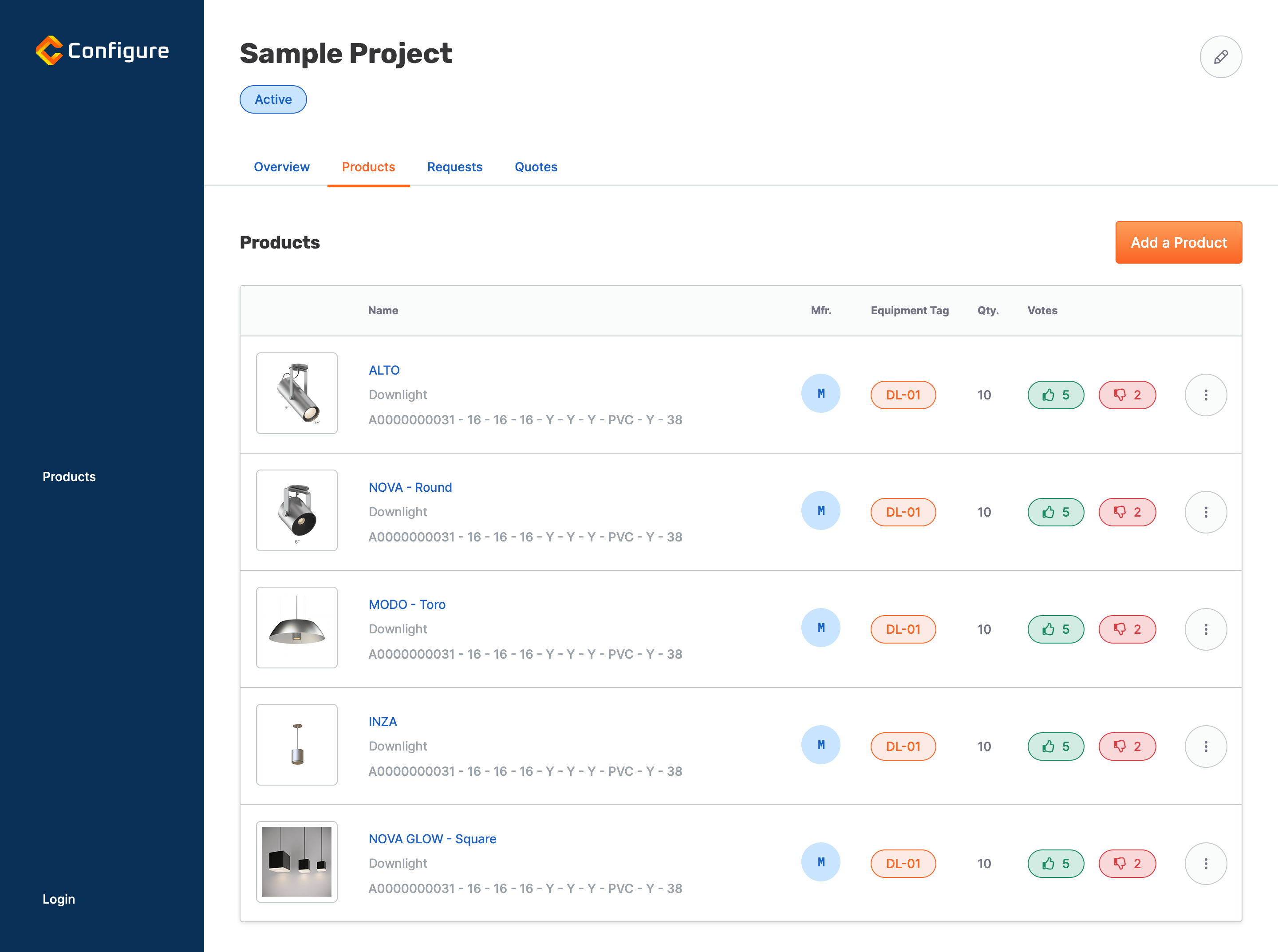
Groups of products, requests, and quotes, can be easily organized into projects. From here, users can quickly see all the most up-to-date information without searching through multiple files. They can save time and take the guesswork out of the equation.
quote details
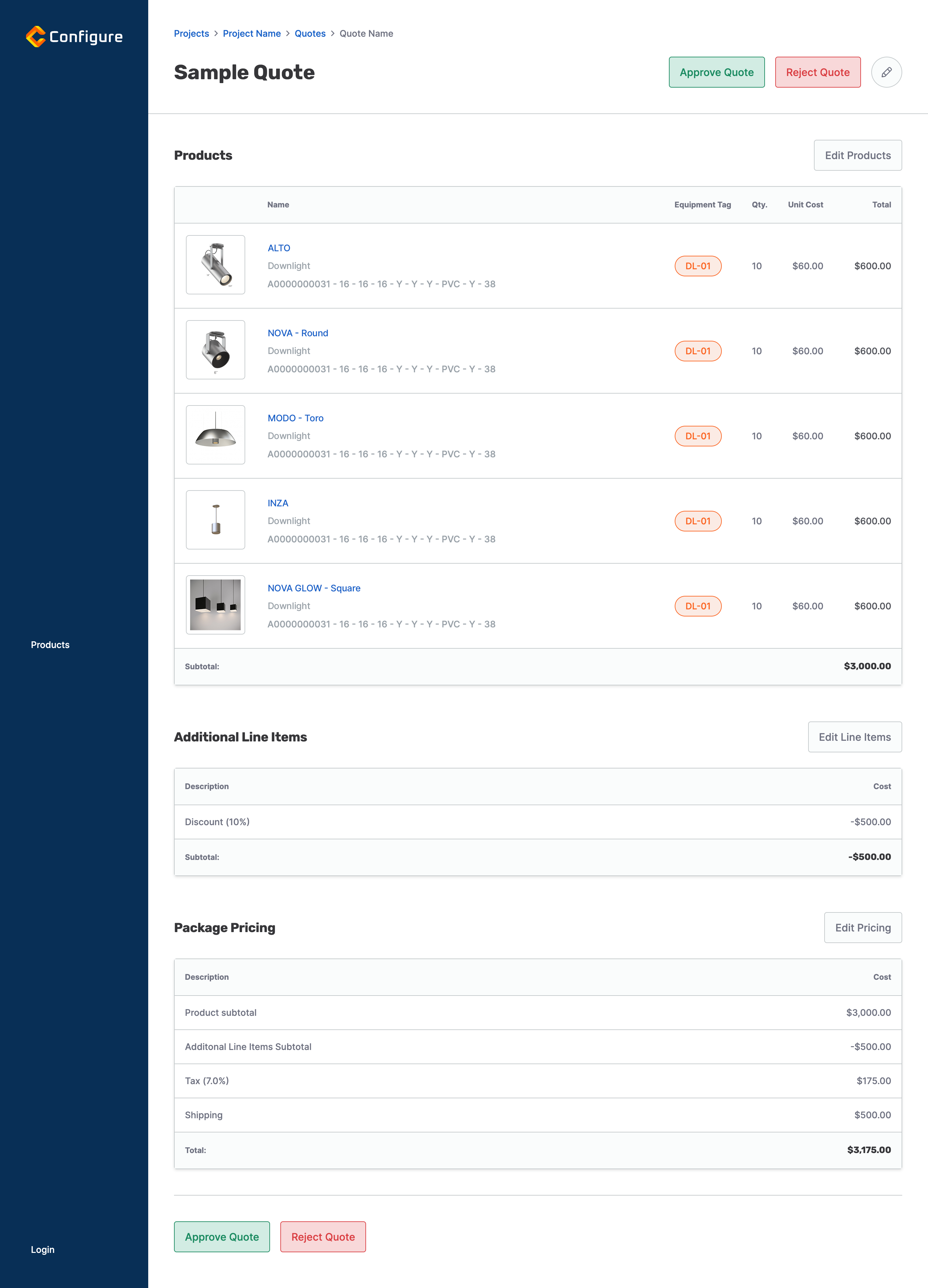
The quote builder/quote details page displays products alongside equipment tags and allows vendors to add custom line items to meet customer needs.
project pricing table
Big projects can have a multitude of products coming from different vendors across several product categories. Our design makes it easy to see the breakdown of each offer so that users can make the best decision for their project.

admin control panel
The app also featured a robust admin section for managing all the unique data points.

style guide
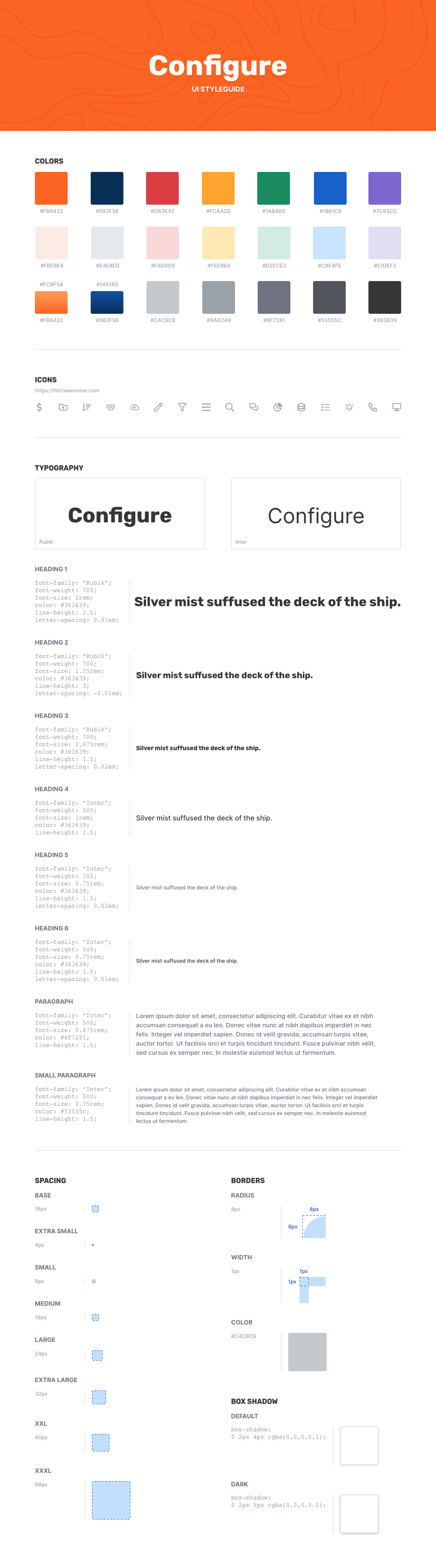
Documentation describing the visual standards for the application's web components.
Outcome
The product secured more than $1.5M in seed funding in its first year and drew industry buy-in from Autodesk.
About the client
Empowering building designers and contractors to easily compare, specify and purchase products by connecting them with local suppliers